How to Hide WhatsApp Chats Without Deleting Them
There are conversations you don't want to delete - but you also don't want them sitting in plain sight every time someone glances at your phone. A chat with a therapist, a private exchange with a close friend, a sensitive work thread you're not ready to close. Deleting feels permanent and wrong. Leaving it visible feels uncomfortable. WhatsApp's archive feature sits right in between, and most people have no idea it exists.
Here's how to use it, what it actually does, and how to make it genuinely private rather than just hidden.
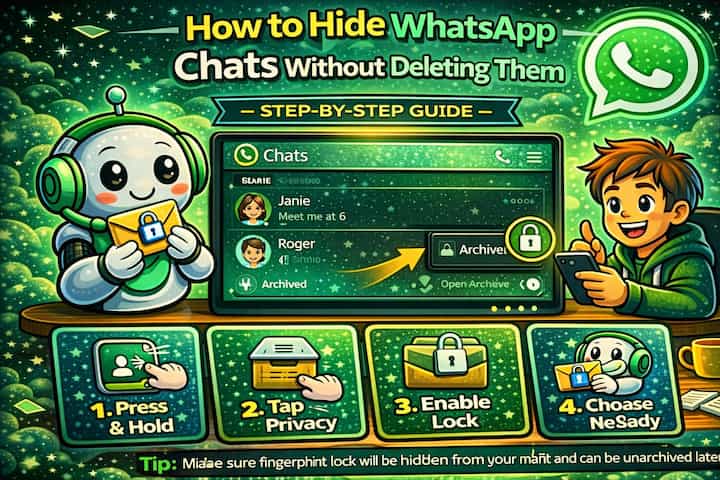
Quick Answer (For Those in a Hurry)
Long-press any chat in your main list, tap the archive icon, and the conversation disappears from view immediately - no deletion, no data loss. To keep it hidden permanently even when new messages arrive, go to Settings -> Chats and enable Keep Chats Archived.
What This Guide Actually Helps You Do
This guide is designed for readers who want to change privacy or safety settings without misunderstanding what other people can still see. It adds value beyond the basic menu path by explaining which signals are hidden, which ones remain visible, and whether the change affects one conversation, one contact, or the whole account. That matters because privacy features are easy to overestimate, especially when screenshots, notifications, profile visibility, or group behavior still reveal context.
The practical goal is to leave you with a result you can verify, not just a menu path you followed. It also keeps the limits visible: this guide does not pretend to offer total invisibility, message secrecy against screenshots, or a way to bypass another person's privacy settings. It shows the reliable path, the trade-offs, and the checks that help you avoid repeating the same mistake.
Real Situations Where This Actually Helps
Archiving a chat sounds like a minor organizational tweak, but in practice it solves some very specific problems.
You share your phone with someone and there are conversations they shouldn't stumble across. A partner who occasionally uses your phone to make a call, a kid who grabs it to watch a video, a family member who asks to borrow it for a moment. You're not hiding anything wrong - you just have conversations that are yours, and keeping them out of the main list removes the risk of an awkward moment entirely.
You use WhatsApp for both work and personal life and the list is becoming unmanageable. When your main chat list mixes active client threads with personal conversations, old project groups, and contacts you haven't spoken to in months, it creates noise. Archiving the inactive or lower-priority chats doesn't close them - it just moves them out of the way so you can focus on what actually needs your attention right now.
You're going through something personal and don't want a specific conversation visible every time you open the app. A difficult exchange, a conversation you're not ready to re-read, a thread connected to a situation you're processing. Archiving it keeps it intact without forcing you to see it constantly. It's there when you're ready, and out of sight until then.
Before You Archive: One Thing to Know
Archiving a chat is not the same as locking it. Anyone who picks up your phone, opens WhatsApp, and scrolls to the bottom of the chat list will find the archived section. The chats are hidden from immediate view - they are not password-protected or encrypted separately. If someone knows to look, they can find them.
This distinction matters. Archiving is a visibility tool, not a security tool. If you need actual access protection, combine it with WhatsApp's fingerprint lock - covered in the Advanced Tips section below.
How to Hide WhatsApp Chats - Step by Step
Step 1 - Open WhatsApp
Open WhatsApp and navigate to your main chat list.
Step 2 - Find the Chat You Want to Hide
Locate the conversation you want to move out of your main list.
Step 3 - Archive the Chat
Long-press the chat until a menu or action bar appears, then tap the Archive icon (it looks like a downward arrow or a box with an arrow). The chat disappears from your main list instantly.
Step 4 - Access Your Archived Chats
Scroll to the very top of your chat list and tap Archived to see all hidden conversations. They're all still there, fully intact.
Step 5 - Keep Chats Hidden When New Messages Arrive
By default, receiving a new message in an archived chat can bring it back to your main list. To prevent this, go to Settings -> Chats -> Keep Chats Archived and toggle it on. Archived chats will now stay hidden regardless of new activity.
That's it. The chat stays out of view until you actively choose to unarchive it.
What Changes After You Archive a Chat
Once a chat is archived, it vanishes from your main list - but nothing else changes. Messages still come in, the conversation history is fully preserved, and you can access everything at any time through the archived section. The other person has no idea the chat has been archived on your end. From their perspective, nothing is different.
Notifications will still appear unless you mute the chat separately. This is an important detail: even with a chat archived and the Keep Chats Archived setting enabled, a notification banner can still pop up when a new message arrives. If you want truly silent archiving, you'll need to mute the chat as well.
Advanced Tips: Making Hidden Chats Actually Private
Archiving moves a chat out of sight - these four techniques make it harder to find and harder to access.
Enable fingerprint lock on WhatsApp so the archived section requires authentication. The archived chats are only as private as your access to WhatsApp itself. If someone can open the app, they can find archived chats. Enabling fingerprint lock (Settings -> Privacy -> Fingerprint Lock) means they'd need your biometric to get past the app at all - which makes the archived section genuinely inaccessible to anyone but you.
Mute archived chats to prevent notification banners from revealing them. Long-press the chat before or after archiving, tap Mute, and select Always. This stops notification banners from appearing when new messages arrive - so there's no visible sign that an active conversation is happening in a chat that's supposed to be out of sight.
Archive entire groups, not just individual chats. The same long-press archive method works on group chats. If you're in a group that's sensitive or just cluttering your list, archiving it removes it from view while keeping you as a member. You'll still receive messages - they just won't be front and center every time you open the app.
Use the archived section as a deliberate inbox for lower-priority contacts. Some people use archiving not just for privacy but as a system - archived means "not urgent," main list means "needs attention." If you set it up this way and combine it with the Keep Chats Archived setting, you essentially create a two-tier messaging system without any extra tools. It's a small habit that makes WhatsApp significantly easier to manage when you have a lot of active contacts.
What Archiving Can't Do
Being honest about the limits here matters. Archiving is one of the most misunderstood features on WhatsApp precisely because it looks more secure than it is. The archived section is not locked, not encrypted separately, and not hidden from anyone who knows it exists - it's just one scroll and one tap away from the main chat list.
Notifications are also a gap. Even with everything configured correctly, a notification that appears on your lock screen while your phone is lying on a table can reveal that a conversation is happening in a chat you were trying to keep quiet. Muting handles this, but it requires that extra step.
Archiving also doesn't do anything about WhatsApp Web. If you have an active session open on a browser - a laptop you share, a tablet someone else uses - archived chats are visible there too. The archive state syncs across your devices, but so does access to the archived section.
Frequently Asked Questions
If I archive a chat and the other person messages me, will they know it's archived on my end? No - the other person has no way of knowing their chat has been archived. Archiving is a local, one-sided action that only affects how the conversation appears on your device. From their perspective, nothing has changed.
Does archiving a chat affect message delivery or read receipts? No. Messages are still delivered normally, and read receipts still trigger when you open and read the chat - even from within the archived section. If you open an archived chat and read a message, the sender will see the blue ticks just as they would in a normal chat.
What happens if I unarchive a chat - does anything get deleted or reset? Nothing is deleted or reset. Unarchiving simply moves the chat back to your main list in its original state, with the full message history intact. The conversation picks up exactly where it left off, with no indication to the other person that anything changed.
Can someone find my archived chats if they have access to my phone? Yes, if they know to look. The archived section is accessible to anyone who can open WhatsApp on your device. It's located at the top of the chat list and is labeled clearly. The only reliable way to prevent access is to combine archiving with WhatsApp's fingerprint or Face ID lock, which requires biometric authentication to open the app at all.
Does archiving sync across devices - if I archive on my phone, is it also archived on WhatsApp Web? Yes. Archive status syncs across your linked devices. If you archive a chat on your phone, it will also appear in the archived section on WhatsApp Web and any other linked devices. The same applies to unarchiving - the change propagates across all active sessions.
What To Verify Before You Finish
A good finish looks like this: the privacy behavior is clear in a real conversation and you know what the other person will still be able to notice. Before moving on, do a small real-world test: try the setting with a trusted contact or secondary device, then compare the visible profile, notification, or message state from both sides.
If someone can still see something you expected to hide, the most likely explanation is that the feature protects only a specific layer of privacy and does not control screenshots, saved media, group history, forwarded content, or old notifications. In that case, use the troubleshooting or limitation section above first, because repeating the same taps usually hides the real cause.
Related Guides
Read next: Hide your online status on WhatsApp | Know if someone blocked you on WhatsApp | Block someone on WhatsApp
Final Thoughts
Archiving is one of those features that sounds small until you actually use it. It won't replace a proper security setup, but it does something specific and valuable - it keeps certain conversations out of the first thing people see when they open your phone. Sometimes that's all you need. Set up the Keep Chats Archived toggle, mute the chats you archive, and combine it with fingerprint lock if you want real protection. That combination covers most situations cleanly.