How to Hide Your Phone Number on Telegram (And What It Actually Protects You From)
Telegram requires a phone number to create an account, which creates an obvious privacy question: does that number get exposed to everyone you interact with? By default, the answer is more visible than most people realize - and less protected than most assume. The good news is that Telegram's privacy controls are genuinely granular, and getting them right takes about two minutes. The important part is understanding what each setting does, because hiding your number doesn't automatically mean you're untraceable.
Quick Answer (For Those in a Hurry)
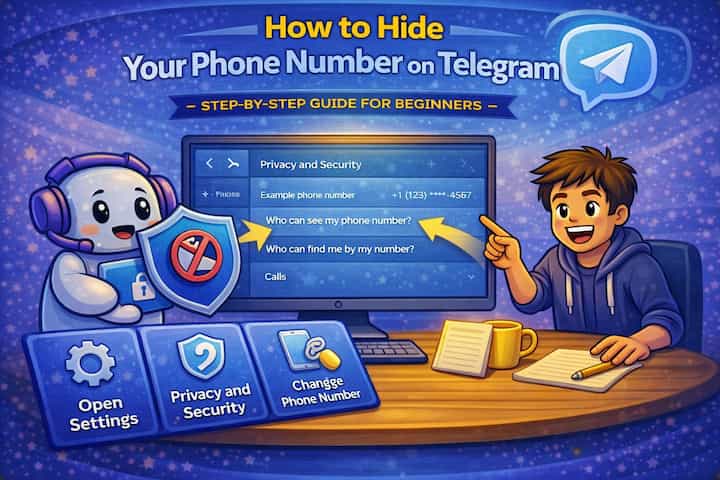
Go to Settings -> Privacy and Security -> Phone Number. Set Who can see my phone number to Nobody. Below that, set Who can find me by my phone number to My Contacts. These two settings together prevent strangers from seeing your number and significantly limit who can look you up by it. Create a username (Settings -> Username) so people can still find and contact you without needing your number.
What This Guide Actually Helps You Do
This guide is designed for readers who want to change privacy or safety settings without misunderstanding what other people can still see. It adds value beyond the basic menu path by explaining which signals are hidden, which ones remain visible, and whether the change affects one conversation, one contact, or the whole account. That matters because privacy features are easy to overestimate, especially when screenshots, notifications, profile visibility, or group behavior still reveal context.
The practical goal is to leave you with a result you can verify, not just a menu path you followed. It also keeps the limits visible: this guide does not pretend to offer total invisibility, message secrecy against screenshots, or a way to bypass another person's privacy settings. It shows the reliable path, the trade-offs, and the checks that help you avoid repeating the same mistake.
Real Situations Where This Actually Matters
Phone number visibility on Telegram isn't an abstract privacy concern - it creates concrete problems in specific situations.
You join public groups or channels and don't want strangers to see your number. When you participate in a large Telegram group - a community, a channel's discussion group, a public forum - every other member has varying levels of ability to see your profile. Without changing the defaults, some of those members might be able to see your phone number directly. In a group with thousands of people, this exposure is meaningfully different from sharing your number with someone you know.
You use Telegram for professional or public-facing communication and want separation between your personal number and your Telegram identity. Journalists, creators, community managers, support agents - people who use Telegram as part of their work often interact with strangers regularly. Having your personal mobile number visible to everyone you communicate with professionally isn't a comfortable or appropriate exposure level. A username-based identity solves this without requiring a second SIM or account.
Someone you know has your number saved in their contacts and you want to limit how much of your Telegram activity they can track. Telegram's contact syncing works in both directions - if someone has your number in their phone, they may see your Telegram profile in their contacts even if you haven't added them. Understanding and limiting this cross-exposure is part of a complete privacy setup.
Before You Change Settings: One Thing to Know
Hiding your phone number and controlling who can find you by your number are two separate settings that do different things. "Who can see my phone number" controls whether your number appears on your profile when someone visits it. "Who can find me by my number" controls whether someone can search for your Telegram account by typing your phone number into the app. You need to configure both - hiding the display doesn't prevent lookup, and restricting lookup doesn't hide the display for people already in contact with you.
Most privacy guides cover the first setting and skip the second. Both matter.
How to Hide Your Phone Number on Telegram - Step by Step
Step 1 - Open Telegram Settings
On mobile, tap the hamburger menu (menu) at the top-left and select Settings. On desktop, click the menu menu and go to Settings. On Telegram Web, settings are accessible through the same menu structure.
Step 2 - Go to Privacy and Security
In your Settings, tap Privacy and Security. This is where all account visibility controls live - phone number, last seen, profile photo, calls, and more.
Step 3 - Tap Phone Number
Under the Privacy section, tap Phone Number. Two separate controls appear here.
Step 4 - Set Who Can See Your Phone Number
The first control is Who can see my phone number. Tap it and choose from Everyone, My Contacts, or Nobody. For maximum privacy, choose Nobody - this prevents your number from appearing on your profile regardless of who's viewing it. If you have a username set, people can still find and message you; they just won't see the number behind the account.
Step 5 - Set Who Can Find You By Number
The second control is Who can find me by my number. This determines whether someone can type your phone number into Telegram's search and find your account. Set this to My Contacts - this means only people who already have your number saved in their phone's address book can find you this way. Setting it to Nobody is more restrictive but prevents even legitimate contacts from finding you if they don't have your username.
Step 6 - Use Exceptions for Granular Control
Both settings include an Add Exceptions option. This lets you override the general rule for specific people - for example, setting "Nobody can see my number" globally but allowing a specific list of people to see it. This is useful if you have contacts you want to give full visibility to while keeping your number hidden from everyone else. Tap Always Allow to add people who can always see your number regardless of the general setting.
Step 7 - Save and Verify
Telegram saves changes automatically when you leave the settings screen - there's no Save button to press. To verify, open a second Telegram account (or ask a trusted friend who isn't in your contacts) to view your profile. Confirm that your phone number is no longer visible. If it's still showing for specific people, check whether they appear in your contacts list, which can override the "Nobody" setting for mutual contacts.
What Changes After You Configure These Settings
Once your phone number is hidden and your lookup restriction is in place, your Telegram identity shifts from being phone-number-based to being username-based. People can still find you by searching your username, messaging you directly if they have your username, or reaching you in shared groups - your accessibility doesn't disappear, just the association between your account and your personal number.
For people who were already in contact with you (mutual contacts), the behavior depends on whether they have your number saved in their phone. Telegram's contact sync means people with your number in their contacts may still see more information than complete strangers would, which is why the exceptions feature and the "My Contacts" option exist - they let you make a deliberate choice about this tier of visibility.
Your username becomes your primary identifier going forward. Anyone you want to be reachable to should be given your username rather than your phone number. This is a meaningful shift: your Telegram presence becomes separable from your personal mobile number, which is the core privacy benefit.
Advanced Tips: Building a More Complete Privacy Setup
Set a username immediately if you haven't already. Go to Settings -> Username and create one. Without a username, hiding your phone number makes you significantly less discoverable and contactable - people who want to reach you and don't already have your chat open will have no way to find you. A username is the privacy-compatible alternative to sharing your number, and it's the foundation that makes the phone number visibility settings actually useful.
Extend the same review to your Last Seen and Online status. While you're in Privacy and Security settings, set Last Seen & Online to Nobody or My Contacts. People can infer significant information from your activity patterns - when you're active, how quickly you read messages, what hours you use Telegram. Hiding this status removes a layer of tracking that most people don't think about until someone else uses it in a way that makes them uncomfortable.
Control who can add you to groups without your approval. In Privacy and Security, find Groups & Channels and set it to My Contacts or create a restricted list. By default, anyone can add you to a Telegram group, which can expose you to spam groups and unwanted communities. Restricting this means only contacts (or a specific list) can add you to groups - everyone else would need to send you an invite link that you actively choose to join.
Periodically review your active sessions for unrecognized access. Go to Settings -> Privacy and Security -> Active Sessions. This shows every device and session currently logged into your account, including location and device type. If you see sessions you don't recognize - an unfamiliar device, an unexpected location - terminate them immediately and change your password. This is the most direct way to confirm your account hasn't been accessed by someone else, and it takes about thirty seconds to check.
What These Settings Can't Fully Protect
Hiding your phone number controls what's visible on Telegram, but it doesn't address what happens when people already have your number. If you've previously shared your number with someone directly, or if it's associated with your account in ways that predate changing these settings, that information exists outside of Telegram's settings. The settings control future display; they don't retroactively erase anything.
Telegram's contact sync also works continuously in the background. When someone new saves your phone number in their phone's address book, Telegram may surface your account to them as a known contact even with your number hidden from your profile. The "Who can find me by my number" setting limits this, but mutual contact status creates a category of partial visibility that's difficult to fully eliminate without deleting your account and creating a fresh one with a different number.
In shared groups and channels, your username and profile photo are visible to all members regardless of your privacy settings. Someone determined to know more about you can take your username, search for it elsewhere, and potentially connect it to other information. Complete anonymity in active public communities is difficult - what privacy settings provide is meaningful protection from casual or automated exposure, not protection from targeted investigation.
Two-step verification is also a separate concern from phone number visibility. Your account's security depends on how difficult it is to gain access - privacy settings control what's visible, but 2FA controls who can log in. Both matter independently.
Frequently Asked Questions
I set my number to "Nobody" but a specific person can still see it - why? The most likely explanation is that you're mutual contacts on Telegram - you have their number saved in your phone and they have yours. Telegram's contact matching creates a bidirectional relationship where mutual contacts sometimes have broader visibility than the general settings suggest. Check whether this person appears in your Telegram contacts list. If they do, you'd need to either delete them from your contacts or use the Exceptions feature to explicitly block them from seeing your number even as a contact.
If I hide my number, can people still find me through Telegram search? Yes, if you have a public username set. Your username is searchable by anyone regardless of your phone number privacy settings - those settings only control the number, not username discoverability. If you want to limit who can find you through search, you'd need to remove your username entirely, which means becoming only findable through direct links or group membership. Most people accept username discoverability as the trade-off for being contactable without sharing their number.
Does hiding my phone number affect whether I receive the verification SMS for login? No. Your phone number remains your account's login credential regardless of visibility settings - Telegram still uses it to authenticate you when you log in from a new device. Hiding the number only affects what other Telegram users can see on your profile. The authentication mechanism is unaffected. This is why two-step verification matters independently - if someone gains access to your phone number's SMS, they can potentially log into your account regardless of privacy settings.
Can Telegram employees or support staff see my phone number even if it's hidden from other users? Yes. Your phone number is part of your account data and is accessible to Telegram's systems and administrators as needed for account support and security purposes. "Hidden from other users" means hidden from the general Telegram user base - it doesn't mean hidden from Telegram itself. If you have concerns about data access at the platform level, Telegram's privacy policy outlines what data they retain and under what circumstances it can be accessed.
If I change my phone number in Telegram, do my privacy settings transfer to the new number? Yes. Changing your phone number in Telegram (through Settings -> Phone Number -> Change Number) updates the authentication credential attached to your account while preserving your profile, contacts, chats, and privacy settings. Your new number is hidden or visible according to the same settings you've already configured. People who had your old number in their contacts won't automatically receive your new number - they'll need to add it manually or find you through your username.
What To Verify Before You Finish
A good finish looks like this: the privacy behavior is clear in a real conversation and you know what the other person will still be able to notice. Before moving on, do a small real-world test: try the setting with a trusted contact or secondary device, then compare the visible profile, notification, or message state from both sides.
If someone can still see something you expected to hide, the most likely explanation is that the feature protects only a specific layer of privacy and does not control screenshots, saved media, group history, forwarded content, or old notifications. In that case, use the troubleshooting or limitation section above first, because repeating the same taps usually hides the real cause.
Related Guides
Read next: Use Telegram secret chats | Create a Telegram group | Lock Telegram with password
Final Thoughts
The two-setting combination - number hidden from everyone, lookup restricted to contacts - gives you the privacy benefit most people are looking for without making your account unreachable. The username is the piece that makes it work practically. Get those three things configured and you've addressed the most meaningful privacy exposure on the platform. The active sessions check is worth adding as a habit: thirty seconds every few weeks confirms no one else has access to your account in ways that settings changes can't address.