How to Create Telegram Stickers (The Complete Process, From Image to Published Pack)
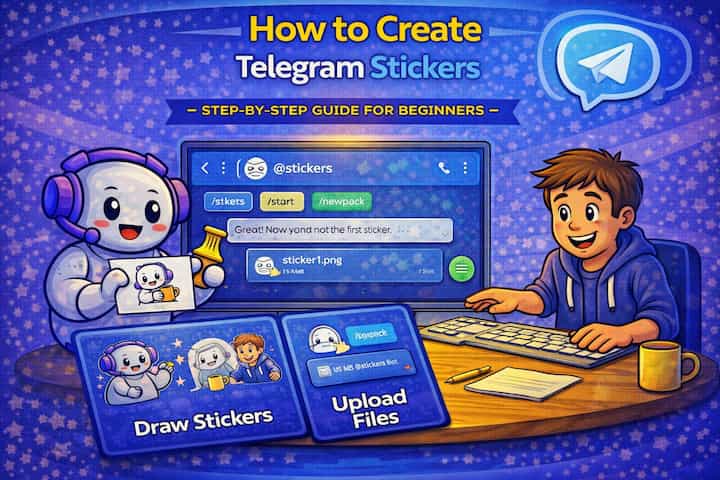
Telegram stickers are made through an official bot - @Stickers - that handles the entire creation process through a simple conversation. You send it your images, assign emoji to each one, name your pack, and publish it. The whole thing takes about ten minutes for a basic pack, and anyone with your pack's link can add it to their collection. The more time-consuming part is creating images that actually look good at sticker size, which is what most guides skip over.
Quick Answer (For Those in a Hurry)
Search for @Stickers in Telegram, tap Start, type /newpack, send your PNG images (512x512px with transparent background recommended), assign an emoji to each, then type /publish and set a short name for your pack's link. Your sticker pack is live immediately. Anyone can add it from the link at t.me/addstickers/yourpackname.
What This Guide Actually Helps You Do
This guide is designed for readers who want to set up a channel, group, or community space that works for real people after the first day. It adds value beyond the basic menu path by explaining who should be able to join, who can post, what permissions members need, and how moderation will stay manageable. That matters because new communities often fail because the setup looks finished but roles, invites, rules, and posting permissions are unclear.
The practical goal is to leave you with a result you can verify, not just a menu path you followed. It also keeps the limits visible: this guide does not pretend to offer instant growth, automatic engagement, or a community that moderates itself without clear structure. It shows the reliable path, the trade-offs, and the checks that help you avoid repeating the same mistake.
Real Situations Where Creating Custom Stickers Actually Makes Sense
Stickers are more useful in specific contexts than as a general-purpose feature - and understanding those contexts helps you decide whether the time investment is worth it for your situation.
You run a Telegram community and want to give it a recognizable visual identity. Communities that have custom sticker packs feel more established and cohesive. Members start using the same visuals in conversation, which reinforces the group's culture and creates a sense of shared belonging. A well-designed pack with 10-15 stickers that capture the group's inside jokes, expressions, and themes becomes part of how the community communicates - and new members pick them up quickly.
You're a creator or brand trying to build recognition and organic reach on Telegram. Sticker packs spread naturally - when someone adds your pack and uses it in other chats, your visuals appear in conversations you're not part of. If the stickers are good enough that people want to use them beyond your own channel, they function as passive brand presence. The link is shareable anywhere, and Telegram users can add packs without any friction.
You want to express yourself in conversations using something more personal than standard emoji. This is the simplest and most common motivation - custom stickers for a friend group, family chat, or personal use where the images mean something specific to the people using them. Photos of pets, hand-drawn characters, inside joke images - all valid. The technical process is the same regardless of scale.
Before You Start: One Thing to Know
Telegram's @Stickers bot is strict about file specifications, and images that don't meet them will be rejected without clear explanation. The standard sticker format is PNG with a transparent background at 512x512 pixels - or at minimum, one dimension must be exactly 512px with the other at 512 or less. The file size limit is 512KB. Animated stickers use a different format entirely (TGS, which is a compressed Lottie animation). If your bot is rejecting your images, the format or dimensions are almost always the cause, not a bot error.
How to Create a Telegram Sticker Pack - Step by Step
Step 1 - Prepare Your Sticker Images
Before touching Telegram, create your images. Each sticker should be a PNG file with a transparent background (no white or colored background behind the subject) at 512x512 pixels. The subject of the sticker should fill most of the canvas. For photos, remove the background using a tool like remove.bg. For drawn or digital art, export with transparency enabled. Keep each file under 512KB - most PNG files at 512x512 are well within this limit.
Step 2 - Search for @Stickers in Telegram
Open Telegram and search for @Stickers in the search bar. Make sure you're selecting the official Telegram stickers bot - it shows a blue verification checkmark and is simply labeled "Stickers."
Step 3 - Start the Bot
Tap the bot's name to open it and tap Start. The bot will send you a list of available commands. The key ones are /newpack to create a new sticker pack, /addsticker to add stickers to an existing pack, /delsticker to remove one, and /publish to finalize and publish a pack.
Step 4 - Create a New Pack
Type /newpack and send it. The bot will ask you to name your sticker pack. This is the display name that users see when they add the pack - it can be changed later. Choose something descriptive but not too long.
Step 5 - Upload Your First Sticker Image
Send your first PNG sticker image as a file (not a photo - use the document/file attachment option to avoid compression). The bot will process the image and confirm it was received. If it rejects the image, it will give a reason - usually related to dimensions or file format.
Step 6 - Assign an Emoji to the Sticker
After each image is accepted, the bot asks you to send an emoji that represents it. This emoji is how the sticker appears in Telegram's autocomplete when someone types it - if they type the crying emoji, stickers associated with that emoji suggestion are surfaced. Choose the emoji that most closely matches the sticker's expression or meaning. You can assign multiple emoji separated by spaces.
Step 7 - Continue Adding More Stickers
Repeat steps 5 and 6 for each additional sticker. You can build a pack with as few as one sticker or as many as 120. A practical size for a personal pack is 10-20 stickers; for a community pack, 20-40 covers most common expressions without being overwhelming. The bot will confirm each addition.
Step 8 - Publish the Pack
When you've added all your stickers, type /publish. The bot will ask you to choose a short name for the pack's link - this becomes the last part of t.me/addstickers/yourshortname. Choose something that relates to the pack and is easy to share. Once confirmed, the pack is live immediately.
Your pack is now accessible at its t.me/addstickers link. Anyone who opens the link can add the entire pack to their Telegram in one tap.
What Changes After Your Pack Is Published
Once published, the sticker pack is immediately accessible through its link. You and anyone you share the link with can add it from the t.me/addstickers/yourpackname URL or from within Telegram by searching the short name. People who've added the pack can use the stickers in any Telegram chat - private messages, groups, or channels.
The pack remains editable after publishing. You can add new stickers using /addsticker, remove existing ones with /delsticker, and reorder them using /ordersticker. Changes are reflected immediately for all users who have the pack added. If you delete a sticker that someone has recently used in a conversation, the sticker they sent remains visible in that chat - deletion only prevents future use.
Your sticker pack is also searchable within Telegram once it's published, which means people can discover it through the Stickers tab in chat if they're searching for packs. The pack's visibility grows naturally as more people add and use it.
Advanced Tips: Creating Stickers That Actually Get Used
Design for the chat context, not for a portfolio. The best stickers are the ones that fill gaps in expression that emoji don't cover - a specific reaction your community has that doesn't have a standard emoji, an inside joke that translates visually, or an emotion that needs a face rather than a symbol. Stickers that are beautiful but don't express anything specific tend to sit unused. The question to ask for each sticker is "in what conversation would someone actually want to send this?"
Keep outlines bold and backgrounds truly transparent. At chat size - roughly 120-150px in most interfaces - fine details disappear. Thin lines become invisible, subtle gradients flatten, and complex backgrounds make stickers look muddy. Bold outlines, strong contrast, and clean transparent backgrounds make stickers readable and expressive at small sizes. Before finalizing any image, scale it down to thumbnail size to check that the expression still reads clearly.
Create animated stickers using Lottie animations for significantly higher engagement. Animated stickers use the TGS format (Telegram's compressed Lottie). Tools like Adobe After Effects with the Bodymovin plugin, or LottieFiles' online editor, can create TGS-compatible animations. Animated stickers are more eye-catching than static ones and tend to spread faster because they stand out in chat. They follow the same 512x512 size requirement but have a slightly different file structure - the bot handles TGS files with the same /newpack process.
Use the /delsticker and /ordersticker commands to curate the pack after it's live. Early in a pack's life, you may add stickers that don't get used, or realize that the ordering could be improved. Regularly checking which stickers people use (through your own conversations) and removing the ones that don't get picked lets you refine the pack over time. A smaller, tighter pack of genuinely useful stickers performs better than a large pack with filler.
What Sticker Creation Can't Do
Telegram's @Stickers bot handles personal and community packs but has no analytics - you can't see how many times a sticker has been used, who has added your pack, or which stickers are most popular. If you want to understand how your pack is performing, you have to rely on qualitative feedback from your community.
The transparent background requirement means photos of real people or scenes need background removal before they work well as stickers. Automated background removal tools like remove.bg handle most cases well, but complex backgrounds - hair, fur, overlapping objects - sometimes require manual cleanup. For packs built around photos, this is the most time-consuming part of the process.
The TGS animated format is not widely supported outside Telegram. You can't export your Telegram stickers to WhatsApp, Discord, or other platforms without converting them - and the TGS format requires specific tools to open, unlike standard GIFs or videos. If cross-platform use matters, designing static PNG stickers is more versatile than animated TGS stickers.
Finally, Telegram's sticker pack system doesn't provide a copyright mechanism - anyone who adds your pack can use the stickers anywhere on Telegram. If you're creating branded sticker packs with real value, protecting the original design files separately (not just the Telegram pack) is the appropriate approach.
Frequently Asked Questions
The @Stickers bot keeps rejecting my image - I've checked the dimensions and they're 512x512, so what else could it be? After dimensions, the most common rejection causes are file size over 512KB (compress the PNG or reduce color depth), the file not being sent as a document (if you send it as a photo, Telegram compresses it before the bot receives it - always use the file/document attachment option), or the file being in a format that looks like PNG but isn't (some tools save as PNG-24 with a non-transparent background that appears white). Check that the file has a genuine transparent background, not a white one that resembles transparency.
Can I add a sticker from someone else's pack to my own pack? No. The @Stickers bot only accepts original file uploads - you can't import stickers from existing Telegram packs into a new one. You need the original source files. If you created the original sticker, upload the source file. If someone else made it, you'd need their permission and the original files from them. There's no "copy sticker" functionality in the bot.
If I delete a sticker from my pack, do the messages where people already used that sticker get affected? No. Messages that have already been sent with a sticker are unaffected by deleting the sticker from the pack. The sticker image remains visible in those past conversations. Deletion only prevents the sticker from being used in new messages - it disappears from the pack for anyone browsing it, but historical usage is preserved. There's no way to retroactively remove a sticker from conversations after it's been sent.
Can I transfer ownership of a sticker pack to another Telegram account? No. Sticker packs in Telegram are permanently tied to the account that created them through @Stickers. There's no transfer ownership function. The account that created the pack is the only one that can edit, add to, or delete it. If you need someone else to manage the pack, they would need access to the original account, or the pack would need to be recreated under the new account.
Is there a limit to how many sticker packs I can create? Telegram doesn't publish a hard limit on sticker pack creation per account. In practice, the limitation is 120 stickers per pack, and you can create as many packs as you need. If you reach an undocumented account-level limit, the bot will let you know. For practical purposes, organizing related stickers into thematic packs (rather than one massive pack) is better for usability regardless of any potential limits.
What To Verify Before You Finish
A good finish looks like this: a new member can join, understand where to go, and interact only in the places you intended. Before moving on, do a small real-world test: enter the space from a normal member account or ask a trusted user to test joining, posting, reading, and leaving.
If members cannot access the right place, post in the wrong place, or get confused by the layout, the most likely explanation is that permissions, invite settings, channel visibility, role order, or the channel structure need to be adjusted before promotion. In that case, use the troubleshooting or limitation section above first, because repeating the same taps usually hides the real cause.
Related Guides
Read next: Use Telegram on PC | Use Telegram bots | Transfer Telegram to a new phone
Final Thoughts
The technical process - @Stickers bot, /newpack, upload, emoji, /publish - takes about ten minutes once you have your files ready. The files themselves are where most people spend their time. A 512x512 PNG with a transparent background and bold enough design to read at thumbnail size is the standard. Get that right and the bot process is straightforward. Get it wrong and you'll spend more time troubleshooting rejections than creating.